



STARTS
Adventure
with Kodland

Learning Pathway
13+
Graphic Design
13+
3D-modelling
11-12
Illustration
12-17
Python lvl3
13+
Java Script
For older students with a real passion for coding
Advanced courses

10-12
Digital Creativity lvl2
12-17
Python lvl2
10-13
Roblox lvl2
Minecraft lvl2
10-11
Unity
13+
For students with some experience
Intermediate courses

8-9
Digital Creativity lvl1
8-9
Minecraft lvl1
12-17
Python lvl1
8-12
Roblox lvl1
Creativity
Coding
For students with little to no coding experience of all age
Beginner courses


A powerful game engine for your ideas
“Racing”
A third-person racing game where players compete on high-speed tracks. Created by a student of the Roblox Studio course.
"Tower"
The “Tower” project. A game a student created during the course and improved using the knowledge they gained.
An adventure game with quests from NPCs, created by a student. The student designed a unique world, built locations, added animated characters, and came up with custom quests.
Adventure Game – Quests from NPCs

A student project in the popular Obby genre, combining fun platforming with learning.
“SUPER OBBY”
Adventure 2.0
An updated version of the adventure game with added monetization mechanics, a pet, and a badge system. The project was created by a student as part of learning Roblox Studio.
A game in which students save the world and learn to use the Roblox Studio interface.
"Save the World"
A student’s independent project — a short adventure that ends with a festive birthday greeting for the player.
“Birthday Greeting”
An adventure game with progression — collect coins, upgrade abilities, and unlock access to new worlds.
“Coin Hunt”
Create. Program. Automate.
The student has used redstone circuitry and motion detectors to build a drawbridge.
The student used the redcstone circuitry, as well as the understanding of lava/water cooling reaction, to build a stone factory.
The student has built a lighthouse.
The student has programmed special elements unique to Minecraft Education (command blocks) so that the weather and time of day in the world can now be controlled with buttons.
The student has built an electric railway by teaming up with the Agent, a special assistant that is controlled by programming.
The student has used redstone (which is Minecraft’s way to simulate electricity) to build a secret dungeon in the game, which is a part of a bigger quiz game they’re working on.
The student has written code that controls the Agent (a robotic in-game assistant).
The student has used redstone circuitry and motion detectors to build a drawbridge.
Digital Creativity LVL1 — our first steps into the wonderful world of digital art!
A brief animation: “A hat that teleported me to Paris!”
The “My Room” project drawn entirely with the mouse
A girl looking at the night sky, frame-by-frame animation
How do you charge Pikachu? A brief cartoon drawn and edited by a Kodland student
An example of frame-by-frame animation made by a Kodland student
Animated cat drawn in the Pixel Art style: the student made it on the very first lesson of the course!
An original character that a Kodland student modelled in a 3D app
Our student used the knowledge acquired in the 3D modelling lessons to build this scene featuring a family of mushrooms and a frog
A powerful game engine for your ideas
An adventure game in which the player needs to complete various tasks. Created by a student of the course
“Color Blocks” game created by a student of the course
“Puzzle Quest” project, created by a student as an independent project
A project for learning the basics of Roblox Studio, created by a student
“The Floor is Lava” project, created by a student as an independent project
A Minecraft world in Roblox Studio, created based on the student’s own idea
“Dodge the Ball” project, created by a student as an independent project
“Parkour” project, created by a student as an independent project
Программирование на языке будущего — Python
Рисунок, созданный в графической библиотеке Turtle, где ученик управляет черепашкой с помощью кода на Python, которая воспроизводит рисунок
«Наруто»

«Игра-кликер»
Игра, написанная на Python, в которой ученик применил знания обработки кликов. Игроку нужно сделать как можно больше кликов на время

Аркадная 2D-игра в стиле Mario, написанная учеником на Python
«Путешествие по мирам»

Игра на Python, где нужно смешивать ингредиенты и получать зелье. Создана учеником для публикации на маркетплейсе
«Космический шуттер»
«Алхимия»
Игра с несколькими врагами и разными уровнями сложности, созданная на Python с помощью метода collidest

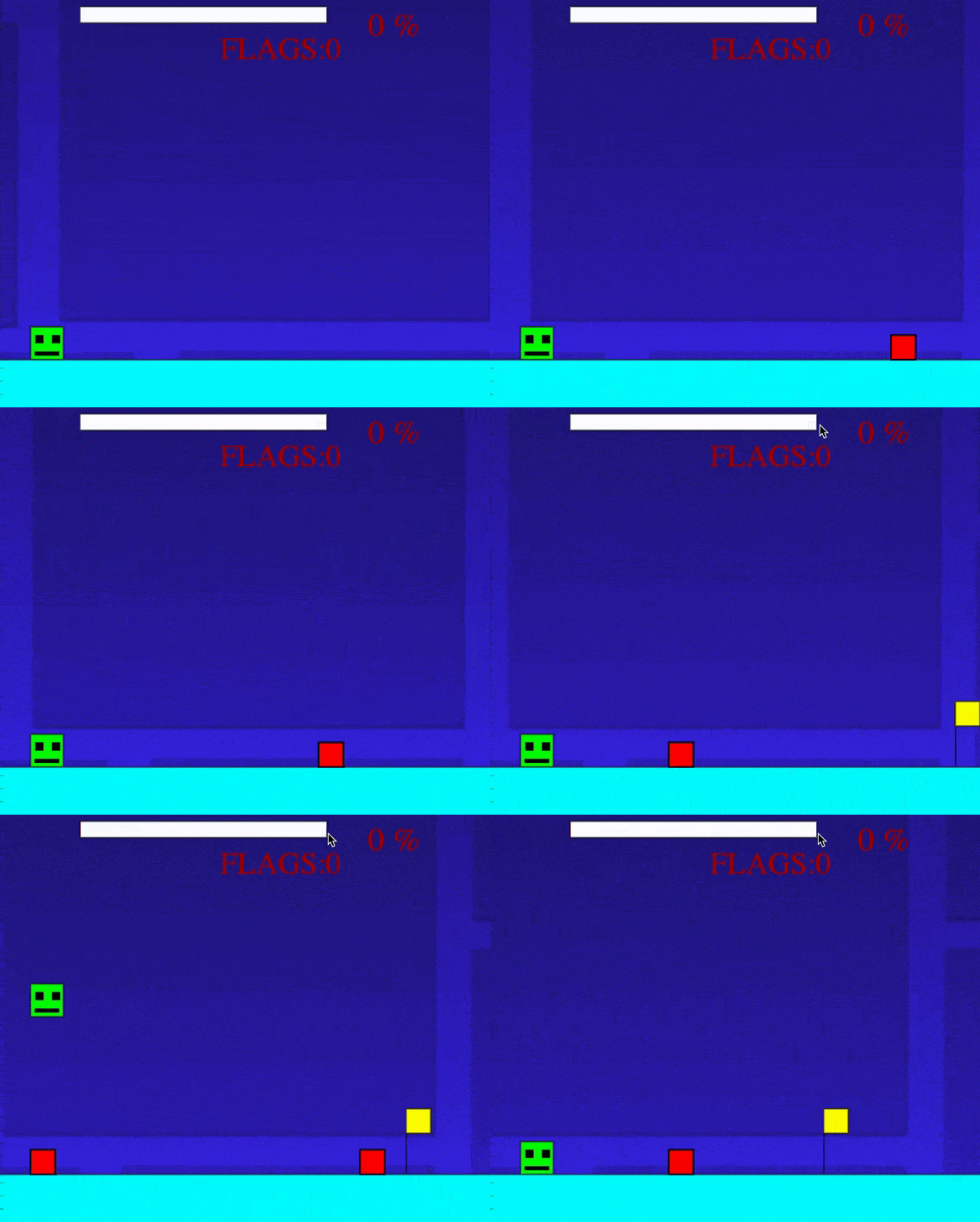
«Geometry dassh»
Клон популярной платформенной игры, написанной учеником на Python
«Flappy bird»
Клон популярной 2D-игры, созданный учеником на Python

Калькулятор, написанный учеником на Python, который может складывать, вычитать, умножать и делить числа
«Простой калькулятор»
Programming in the language of the future — Python
Portfolio Website
Created by a student using Python and the Flask framework
Diary Website
Created by a student using Python and the Flask framework
Created by a student using Python
Discord Bot “Green Energy”
Created by a student of the Python course
Game Website Highlighting the Issue of Global Warming
Discord Bot “Bird Identifier”
Created by a student using Python and machine learning technologies
Created by a student using Python and the Flask framework
Website About Lions
Created by a student using Python and machine learning technologies
Discord Bot “Mushroom Identifier”
Created by a student using Python
Discord Bot “Echo”
Digital Creativity LVL2 — develop your imagination and creative potential!
Illustration of a sweet treat, drawn with a mouse in Krita by one of the students on the course
“The most delicious sweet treat”
“Girl in the Enchanted Forest”
Character animation created by our student while studying the animation module

A 2D cartoon with several scenes, created by a student in the WickEditor
“The Journey of a Robot”
A 3D model of Wall-E robot holding various items, created by a student in Spline
“Wall-E robot prepares gifts for Eve”
A comic about a penguin, drawn completely by our student during a module about comic creating
“The difficult life in the north”
Exercise on working with motion animation using a favorite character from a game
“In the world of anime”
Frame-by-frame animation created by a student using the FlipAnim service
“Emotions of the Soul 22”

Character concept for creating animations in WickEditor
“Coddy”


3D Modelling — create characters, worlds and animations while building your professional future!
A bathroom interior project by Marianna Leontieva, aged 13
A student began modelling a building in Module 2 and continued improving it throughout the course
A low-poly landscape for a Wild West-themed game
An animated 3D scene featuring the Northern Lights, based on the student's original idea
A Kodland student was inspired to create a promotional video for her favourite perfume
A project focused on developing an ocean-themed track for a rolling marble, presented on the Behance platform
A highly detailed 3D icon project, “A Day in Business”
An animated robot character wielding a sword, created by a student during Module 6


"The Space Travellers ." Getting acquainted with Roblox
Lesson 1:
Introduction to Roblox! Exploring the interface of Roblox Studio. Getting acquainted with scaling and rotation tools
Lesson 2:
The basics of location design. Studying Toolbox” a 3D model storefront built into Roblox Studio. Designing a location based on the terms of reference and working on our own projects
Lesson 4:
Creating 3D models using blocks and other basic objects. Changing colour and material. Studying the concept of Script. Testing and publishing our projects in Roblox
Lesson 3:
Working with advanced terrain editing tools. Exploring the Terrain Generator and using it to model terrain
Tower of the Hell. Creating our own game
Lesson 1:
The basics of scripting in LUA language. Learning to implement mechanics with simple scripts. Starting the development of a new project
Lesson 2:
Learning to use scripting to change the parameters of objects in Roblox. Using LUA scripts to create obstacles in the “Tower of Hell” game
Lesson 4:
Learning how to use scripts to change the player's health. Testing the project
Lesson 3:
Learning physics in Roblox Studio. Using motors and physics to create obstacles
Tower of the Hell. Expanding the functionality
Lesson 1:
Continuing to expand the Tower of Hell project. Using scripts to create new obstacles
Lesson 2:
Creating moving objects. Studying object animation. Using LUA scripts to customise objects
Lesson 4:
Creating checkpoints. Creating boosts and a time limited parkour course. Publishing the project to the Roblox website
Lesson 3:
Implementing object interaction. Creating interactive objects that allow us to enable obstacles. Getting acquainted with Surface GUI (interface elements on in game objects)
The racing game
Lesson 1:
An introduction to the basics of game design. Advanced location work. Creating our own race tracks
Lesson 2:
Modelling the car and configuring its movement and physics
Lesson 4:
Finalizing the project. Adding activity for the players a timed race
Lesson 3:
Learning how to create visual effects. Working with the user interface and the LUA programming language. Create a respawn for our car
Adventure game. Team development
Lesson 1:
Learning about team development. Working in teams to create a new world. Revising Toolbox. Beginning the work on an adventure game
Lesson 2:
Non-player characters. Creating and customising NPCs
Lesson 4:
NPC dialogues. Creating a mini-quest. Testing the game
Lesson 3:
Creating Character Animations in Roblox Studio
Adventure game. Creating an in-game currency system
Lesson 1:
Creating in-game currency. Animating items and creating a currency exchange table
Lesson 2:
Implementing Ore. Adding a harvesting tool to the inventory
Lesson4:
Working on the atmosphere. Creating an object for currency exchange. Testing the project
Lesson 3:
Working with Roblox’s GUI (Graphical User Interface) system. Creating an in-game store

Adventure game. Monetisation
Lesson 1:
Badges. Implementing special badges that allow players to get achievements
Lesson 2:
GamePass. Implementing game passes that players can buy with real money. Creating a pet that travels with the player
Lesson 4:
Finalizing the project. Studying the settings of the game. Implementing private servers
Lesson 3:
Learning the basics of Roblox Studio monetization. Creating items for sale that players can buy with real money
The floor is lava
Lesson 1:
The variables and the ways to use them
Lesson 2:
The functions and the ways to use them
Lesson 4:
Completing adding features to the game by following the framework learned from the previous lesson. The students are to add the finishing touches to the game
Lesson 3:
Adding features to the game by using ready-made scripts and understanding the logic behind the variables and functions used there
The “Go around the obstacle” mini-game
Lesson 1:
"Conditional statements" with real-life examples
Lesson 2:
"For loops" with real-life examples
Lesson 4:
Completing adding features to the game by following the framework learned from the previous lesson. The students are to add the finishing touches to the game
Lesson 3:
Adding features to the game by using ready-made scripts and understanding the logic behind conditional statements and the for loop used there
Developing our own project
Lesson 1:
Game design basics. Developing a concept document for your game
Lesson 2:
Develop your own project. Learning to create game mechanics
Lesson 4:
Projects’ presentation. Graduation
Lesson 3:
Final testing of your own project. Completing the graduation project

Critical thinking
Critical thinking grows steadily as students learn to debug scripts, analyze behaviour of game objects, and break down complex mechanics. From early modules, they must identify why a script doesn’t behave as expected, evaluate different ways to implement an obstacle, optimise map design, or ensure fair game balance.


Collaboration
Collaboration plays a key role in the course, especially during the Adventure Game modules where students work in teams to build shared worlds, coordinate tasks, and integrate one another's assets. They learn to give and receive feedback, solve problems together, merge ideas, and debug projects in groups.

Communication
Students develop communication skills by presenting their projects, explaining how their game mechanics work, and discussing scripting logic. Throughout the modules, they engage in peer discussions, help classmates solve issues, and articulate their design decisions. Final presentations help students speak confidently about their creations.

Skills for life
Creativity
Throughout the course, students continually express their creativity by designing unique 3D environments, building obstacles, and inventing game mechanics. Each module encourages experimentation - choosing visual styles, creating dialogues, designing quests, building obstacles, or inventing their own original game in the final project.
Think future
19.000-results
Roblox in Worldwide

Product & Community in Games

Community Manager
Game Economy Analyst
LiveOps Manager Assistant
Game Producer
3D Art & Animation

UI/UX Designer for Games
Roblox Animator
Character Artist
3D Environment Artist
Metaverse & Experiences

Metaverse Event Creator
World Builder
Experience Designer (Roblox Worlds)
Website Development

Gameplay Scripter (Lua)
Level Designer
Game Designer (Roblox)
Roblox Game Developer
The Brave New World of Green Stone
Lesson 1:
Introduction to the world of Minecraft. Exploring Minecraft Education and learning to run commands in MakeCode
Lesson 2:
Exploring movement commands and taking on a mini-quest. Building a route for the Agent to navigate the maze
Lesson 8:
Finishing the city construction. Combining all learned knowledge in a project to build a structure automated by MakeCode programming
Lesson 7:
Studying mechanisms as a team. Joining forces to build complex mechanisms for city development
Lesson 6:
Using redstone and observers to build a complex farm for resource collection
Lesson 5:
Working with redstone to create automated doors. Exploring the principles of signal transmission
Lesson 4:
Building as a team. Planning ahead and constructing a simple building by following step-by-step instructions
Lesson 3:
From simple actions to algorithms. Learning the repeat loop and using it for automation
The City of Light – Building the Future Together
Lesson 1:
Understanding coordinates for high-precision building. Studying the coordinate system and creating objects at specific points using MakeCode
Lesson 2:
Designing large-scale builds with loops. Applying nested loops for walls and towers
Lesson 8:
Completing the final project of the module – the "Smart Neighbourhood." Creating an automated neighbourhood with houses, streets, and mechanisms
Lesson 7:
A collaborative project – developing the city centre. Teaming up to build a finely decorated city square or park
Lesson 6:
Planning street and district layouts. Programming street layouts and dividing the city into zones
Lesson 5:
Designing a smart home with automation. Refining indoor lighting, doors, and buttons with neat logic!
Lesson 4:
Cloning objects. Using the clone command for the rapid building of symmetrical buildings
Lesson 3:
An Agent project – constructing a bridge over the river. Writing code for the Agent to build a bridge using the given coordinates
Oasis of Logic – Creating Fun Games and Puzzles
Lesson 1:
An introduction to events and conditions. Studying events and conditions, programming reactions to player actions
Lesson 2:
Variables and counters. Creating variables and counters to track scores in a game
Lesson 8:
Finishing the final project of the module: "My Game." Creating a custom mini-game in MakeCode, featuring our own map and code
Lesson 7:
Testing and balancing the game. Identifying errors and improving mechanics
Lesson 6:
Adding a teleportation zone. Configuring coordinates and setting touch events
Lesson 5:
Developing the "Escape the Lava" game. Using timers to program lava movement and player escape
Lesson 4:
Designing the "Find the Button" game. Creating a map where players must locate and press a button to win
Lesson 3:
Mob trapping time! Using conditions and events to program traps for mobs
A Mechanical Forest – Automating Living Systems
Lesson 1:
Introduction to automation – learning how auto-farms work. Automating resource harvesting in Minecraft
Lesson 2:
Programming a gardener Agent. Teaching the Agent to plant and harvest crops
Lesson 8:
Completing the final project of the module – the "Smart Farm." This farm will feature automated harvesting, sorting, and storage, all achieved using MakeCode
Lesson 7:
Maintaining farms. Testing, optimising, and adding improvements to our farms
Lesson 6:
Constructing an automated storage system. Creating a warehouse where resources are automatically transferred to their designated locations
Lesson 5:
Developing a mob farm. Programming a farm with a built-in mob spawning logic
Lesson 4:
Designing a resource sorter. Building a system that sorts items automatically
Lesson 3:
Building logic chains. Creating conditional circuits: "If a has grown, harvest it.”
The Creator’s Fortress – Bringing Dreams to Life
Lesson 1:
Generating ideas. Selecting a project idea, discussing its core components, and planning implementation
Lesson 2:
Creating a project plan and assigning roles (if students are working in groups). Sketching a diagram
Lesson 8:
Presenting and defending the project before the class and parents
Lesson 7:
Adding finishing touches. Decorating the map, enhancing visuals, and including small details
Lesson 6:
Handling events to respond to player actions. Adding triggers for button presses, proximity, or specific actions
Lesson 5:
Working with functions – creating reusable code segments. Learning to simplify and structure our code
Lesson 4:
Refining our builds and logic. Improving the project by adding logic and automation
Lesson 3:
Writing the first lines of code. Beginning implementation by programming basic mechanisms


From a Drawing to Your First Cartoon
Lesson 1:
Drawing in PixelArt style
Lesson 2:
Animating objects drawn in Pixel Art style
Lesson 3:
Drawing characters in the Pixel Art style
Lesson 4:
A Live Background in the Pixel Art Style
From a Drawing to Your First Cartoon
Lesson 1:
Exploring a program for drawing
Lesson 2:
How do layers work?
Lesson 3:
The Color Matters!
Lesson 4:
Designing a Postcard
Let's get the imagination flowing!
Lesson 1:
More than just a circle!
Lesson 2:
Recognizing characters in simple shapes
Lesson 3:
Using photos as the basis for a drawing!
Lesson 4:
Drawing Music. Creating a melody
Character Design
Lesson 1:
Selecting the character's pose. Drawing a sketch
Lesson 2:
Working with colours and shapes
Lesson 3:
Adding details
The basics of 3D modelling
Lesson 1:
Introduction to three-dimensional space
Lesson 2:
The Ship of Fantasy
Lesson 3:
Modelling a character
How do we come up with a story? Working on comics
Lesson 1:
Understanding the rules of storytelling
Lesson 2:
An Introduction to Storyboards. Drawing the first panel of the comics
Lesson 3:
Panels two and three!
Lesson 4:
Assembling a Comic Book Page. Designing a cover
Frame-by-frame animation in FlipAnim
Lesson 1:
An introduction to frame-by-frame animation
Lesson 2:
Animating the weather
Lesson 3:
Preparing a character for animation
Lesson 4:
Animating the character
Keyframe-based animations
Lesson 1:
Animating simple movements
Lesson 2:
Animating rotation and change of size
Lesson 3:
Creating a Cartoon, Part 1
Lesson 4:
Creating a Cartoon, Part 2
Cartoon editing? What’s that?
Lesson 1:
Telling a story through editing
Lesson 2:
Editing a cartoon in 123Apps
Lesson 3:
Adding a title screen, voiceover, and music
The Graduation Project
Lesson 1:
Coming up with a story. Storyboarding
Lesson 2:
Preparing the elements of the cartoon
Lesson 3:
Drawing backgrounds and environments
Lesson 7:
Graduation: Presenting the project
Lesson 6:
Editing the project and adding voiceovers
Lesson 5:
Working on Animations, Part 2
Lesson 4:
Working on Animations, Part 1
The basics of programming in LUA
Lesson 1:
Recalling how to work with variables. Starting the development of a new project
Lesson 2:
Working with LUA’s functions. Learning how to fix errors in code. Studying different ways to call functions
Lesson 3:
Studying loops. Configuring the teleport and learning how to use code to look for objects
Lesson 4:
Practical lesson. Consolidating the topics we learned during the previous lessons in practice. Developing scripts on our own
The “Teamwork Puzzle” game. Learning to develop team-based games
Lesson 1:
Starting to create a new project: a spin on the popular Teamwork Puzzle game. Developing the first obstacles
Lesson 2:
Studying the for loop. Learning to optimize the code
Lesson 3:
Continuing to study loops. Applying the while loops in practice
Lesson 4:
Practical lesson. Consolidating the topics we learned during the previous lessons in practice. Completing the project and publishing it in Roblox
The “Tower Defence” game. Studying Roblox events
Lesson 1:
Starting to create a new project in the popular Tower Defence genre. Learning to create NPCs
Lesson 2:
Working with NPCs. Learning how to create objects with Lua code, and how to use the Roblox Studio’s Storage service
Lesson 3:
Learning that functions can return data. Diving into maths and learning how to calculate the distance between objects with code! Creating the overlook tower!
Lesson 4:
Practical lesson. Consolidating the topics we learned during the previous lessons in practice. Completing the project and publishing it in Roblox
The “Color Block” game. Beginning the project’s development
Lesson 1:
Introduction to the Color Block project. Overview of the basic mechanics of the game. Beginning the development of the game’s scene and its basic elements. Starting to work with complex loops that modify data arrays
Lesson 2:
Programming the basic logic of the game. Studying attributes and writing complex loops. Learning to get the positions of objects and move them in space using Lua
Lesson 3:
Working with a new type of script - the Module Script. Studying interactions between different scripts and the means to synchronise them. Implementing the round logic
Lesson 4:
Working with Roblox’s save system - the DataStore API. Creating a leaderboard and developing the logic of the primary part of the game
The “Color Block” game. Expanding the project’s functionality
Lesson 1:
Studying a new type of service - RunService. Implementing the voting logic
Lesson 2:
Working with user settings. Creating the logic of rounds ending. Learning how to load different maps
Lesson 3:
Studying another essential feature of Roblox Studio - RemoteEvents. In this lesson, we will use these events to implement interaction and synchronisation between players. Additionally, we will develop the game’s user interface
Lesson 4:
Adding finishing touches and publishing the game in Roblox. Recalling Roblox Studio’s monetisation and adding items for sale for in-game currency (Robux)
The “Simulator” game. Advanced scripting
Lesson 1:
Introduction to the Simulator genre. Getting acquainted with the basic concept of the game and planning out the game’s elements. Creating complex data arrays. Learning how to optimise scripts
Lesson 2:
Advanced GUI studies. Learning how to alter the user interface with code
Lesson 3:
Creating inter-level barriers that the players can open for currency. Performing complex operations with object properties and GUI
Lesson 4:
Developing the save system. Learning how to save complex data
The “Pet Simulator” game. Adding new features
Lesson 1:
Creating game pets. Exploring the new HeartBeat service that allows for smooth object interaction
Lesson 2:
Creating an inventory for pets. Developing a game shop that grants a random pet on purchase. Returning to work with GUI
Lesson 3:
Working with the player's inventory. Adding the ability to activate and delete pets. Optimising scripts
Lesson 4:
Adding final tweaks and publishing the game in Roblox. Creating abilities for pets. Implementing monetisation — adding a super pet that can be purchased with in-game currency (Robux)
The Capture the Flag game. Basics of building
Lesson 1:
Getting to know a new genre and building a location!
Lesson 2:
Learning the Teams service
Lesson 3:
Create a system of flag conquest
Lesson 4:
Create a GUI and Winner Display
The Capture the Flag game. Developing the project
Lesson 1:
New mechanics. Building traps and teleporters
Lesson 2:
Freeze the opponents
Lesson 3:
New abilities
Lesson 4:
Final Development. Making the leaderboard
Developing your own project. Studying artificial intelligence
Lesson 1:
Developing an idea for your own project. Deploying an AI assistant that is going to help with development
Lesson 2:
Developing your own project. Studying Roblox Studio’s teleportation techniques
Lesson 3:
Developing your own project. Learning to change players’ properties
Lesson 4:
Project Presentation. Graduation
Welcome to WeCode. The basics of programming
Lesson 1:
Welcome to Hawaii, welcome to Python! We’ll talk about what programming is and what Python can do. We’ll also create our first program.
Lesson 2:
WeCode and Dragons. We’ll learn about variables and operations.
Lesson 4:
Creating an employee card. Working on the project.
Lesson 3:
Data collection. We’ll create a program for text and numbers input.
Logic. Development Department
Lesson 1:
Welcome to the Development Department! The logic behind the if/else statement and its use in code.
Lesson 2:
We’ll learn about the elif statement and logical operators.
Lesson 5:
Completing the virtual assistant program
Lesson 4:
Our first introduction to the while loop.
Lesson 3:
The first programming contest. Introduction to artificial intelligence.
Advanced loops. The Department of game Re-Development
Lesson 1:
Introduction to the for loop.
Lesson 2:
Using nested loops in code.
Lesson 4:
The “Naughts and Crosses” or ”The bot for movies and games” project.
Lesson 3:
Creating the first programs with lists.
Lists and dictionaries. Working with tables. The Department of Tech Support
Lesson 1:
Deep dive into lists.
Lesson 2:
Introduction to dictionaries.
Lesson 5:
The “Password Manager” project.
Lesson 4:
Creating programs with their own functions.
Lesson 3:
A new programming contest. Using AI in coding.
Algorithms!
Lesson 1:
Learning linear algorithms.
Lesson 2:
Introduction to cyclic algorithms and their use in code.
Lesson 4:
A contest in algorithmic programming!
Lesson 3:
Exploring the secrets of custom functions and code optimization.
Lists and dictionaries. Working with tables. The Department of Tech Support
Lesson 1:
Introduction to Pygame Zero.
Lesson 2:
Keyboard controls and animations.
Lesson 5:
Learning to find and fix errors in code.
Lesson 4:
Creating functions.
Lesson 3:
Colliderect and text output.
Developing games in a team. The Department of Game Development
Lesson 1:
Mouse controls.
Lesson 2:
Processing mouse clicks.
Lesson 5:
A programming contest using AI.
Lesson 4:
Completing the games.
Lesson 3:
Developing the project.
Working on a graduation game. The Department of Game Development
Lesson 1:
Developing an idea.
Lesson 2:
The collidelist function.
Lesson 4:
Implementing functions.
Lesson 3:
Getting ready to work on the project. Game design.
Polishing the game.
The Product Department
Lesson 1:
Working on additional functions.
Lesson 2:
New levels.
Lesson 4:
Graduation.
Lesson 3:
Polishing the game.

Critical thinking
From the very first modules, students develop critical thinking by finding and fixing errors in code, analyzing algorithms, and choosing optimal solutions. As projects become more complex, they learn to evaluate efficiency, optimize their programs, and use AI responsibly to improve their work.
Collaboration
During the course, students actively collaborate with one another: they discuss solutions, help their peers, and work on joint projects. This collaboration helps them develop the ability to communicate, delegate, and achieve shared goals.
Communication
Communication skills are developed in every module: students present their projects and explain their code logic. Team challenges, contests, and group discussions help them express their ideas clearly and speak about their work with confidence.
Skills for life
Creativity
Throughout the course, students express their creativity by designing original programs, inventing unique game concepts, and adapting projects to their own ideas. From drawing an avatar with the turtle module to developing a full-fledged game in Pygame Zero. Each module encourages experimentation and out-of-the-box thinking.
Think future
19.000-results
Python in Worldwide
Finance

Quantitative Analyst
Risk Modeler
Algorithmic Trading Developer
Data and AI

Data Analyst
Product Analyst
A/B Testing Analyst
ML Engineer
Data Scientist
Science

Robotics Software Engineer
Bioinformatics Engineer
Research Scientist
Website Development

Chatbot Developer
Data Analyst
QA Automation Engineer
Full-Stack Developer
A Discord Bot That Works Without Weekends!
Lesson 1:
Tools for real programmers: Setting up an IDE and reviewing Python syntax
Lesson 2:
Tools for real programmers: Introduction to the Git version control system. Creating a GitHub account. Integrating GitHub into the IDE and uploading our first projects
Lesson 5:
Folders and files
Lesson 6:
Consolidating our knowledge with practice
Lesson 4:
Bots already respond to requests! Learning new object-oriented programming concepts, testing, and debugging
Lesson 3:
Discord.py and APIs: Installing our first library and connecting with the outside world
Websites and Clouds: Learning the Basics of Backend Development
Lesson 1:
Introduction to Web Development
Lesson 2:
HTML and CSS
Lesson 10:
Creating a Portfolio Website
Lesson 9:
Deploying the project. Preparing the portfolio
Lesson 8:
User Authorisation
Lesson 7:
Databases. The programmer's diary
Lesson 6:
A secret lesson! Dynamically-changing pages
Lesson 5:
Multi-page websites. Learning about URL routes and how to keep our pages intact!
Lesson 4:
Templates and template engines
Lesson 3:
Introduction to Flask. Configuring the environment
Masters of AI! Let's teach the machine to think and see! Learning what interactive Python is and how to get results right here, right now
Lesson 1:
Understanding AI and machine learning. Getting familiar with Google Colab, a new development environment
Lesson 2:
Data is the key to success. Extracting data from open sources and learning to analyse it
Lesson 8:
Putting our knowledge into practice!
Lesson 7:
Learning new libraries and setting goals!
Lesson 6:
AI Battle! Holding a competition, discussing, and testing!
Lesson 5:
Explore libraries and learn to use pre-trained models with code
Lesson 4:
Computer vision? What’s that? Learning a model through a web interface. Understanding classes and accuracy
Lesson 3:
Data extraction. Cleaning, analysing, and visualizing data
AI is Everywhere: Integrating AI into Existing Applications
Lesson 1:
Setting up the environment for previously created projects. Connecting new libraries. Working with directories and files
Lesson 2:
Selecting a model for the task at hand and training the AI. Testing and checking
Lesson 4:
Speak Right – Creating a Pronunciation Game in Spanish
Lesson 3:
Developing a Voice Translator
Advanced Project Management and Collaboration
Lesson 1:
Introduction to Agile and Scrum methodologies
Lesson 2:
Version control in team environments
Lesson 4:
Collaboration tools and remote teamwork
Lesson 3:
Code reviews and best practices
Speech Technologies in Python and Code Optimization
Lesson 1:
Introduction to speech synthesis
Lesson 2:
A bot that announces the weather forecast
Lesson 4:
Clean code and refactoring
Lesson 3:
A bot that announces fun facts
Hackathon: Code and Solve the Problem of Global Warming!
Lesson 1:
Analysing, planning, and designing
Lesson 2:
Developing the solution
Lesson 4:
Demonstrating the solution
Lesson 3:
Testing and debugging
Immersing in digital creativity. In search of a Spark!
Lesson 1:
Getting ready for the first journey. Drawing with the mouse
Lesson 2:
Prome AI. A new world for Soul 22
Lesson 3:
Piskel: drawing in the pixel art-style
Lesson 4:
Animating character's emotions with FlipAnim
Graphic design in Сanva. Growing a business in Zootopia!
Lesson 1:
Graphic design introduction
Lesson 2:
Designing a logo
Lesson 3:
How can we design stickers, merch, or a business card?
Lesson 4:
Submitting the order - the brandbook is ready!
2D-illustration in Krita. Wreck-It Ralph and the Sugar Rush game!
Lesson 1:
The basics of drawing in Krita: working on a donut
Lesson 2:
Turning an idea into a sketch
Lesson 3:
Finishing touches: colouring, adding shadowing and highlights
A comic book in Krita. Drawing the stories of the Incredibles!
Lesson 1:
How do we create a comic book? All the stages of the creation process
Lesson 2:
How can we come up with an exciting story?
Lesson 4:
Adding colour to our comics!
Lesson 3:
Designing a character and working with frames
Lesson 5:
Finishing touches: presenting our comics!
Self-expression in WickEditor. Animating the emotions from Inside Out!
Lesson 1:
The first steps into the world of 2D animation
Lesson 2:
Animating emotions with WickEditor
Lesson 3:
Creating more scenes about emotions
Lesson 4:
Making video capture card
Building Rescue Robots in WickEditor
Lesson 1:
Preparing character for animation
Lesson 2:
Basic character animation
Lesson 3:
Creating a complex animation scene
Lesson 4:
Editing an ad with sound effects
Creating a 3D world in Spline. Entering the new future with WALL-E!
Lesson 1:
Eco-innovations: moving from 2 to 3 dimensions with WALL-E!
Lesson 2:
Learn all about materials and textures in 3d
Lesson 3:
Designing an invention that will save the world
Lesson 4:
Completing and presenting the models of the future!
Vector graphics in Figma или Get into Creativia with Figma
Lesson 1:
The Basics of Figma
Lesson 2:
Creating a unique monster-avatar
Lesson 3:
Enhancement with advanced Figma features
Lesson 4:
Bringing the monster to life with animation
Create a portfolio website
Lesson 1:
Everything about sites
Lesson 2:
Launching an online store of balls!
Lesson 3:
How to create portfolio sites
Lesson 4:
Portfolio presentation
Summarising the results
Lesson 1:
Recalling what we've learnt
Lesson 2:
The final independent project
Lesson 3:
Preparing for self-presentation
Lesson 4:
Sharing the results of your creative journey!
Introduction to 3D Modelling
Lesson 1:
Sculpting. Introduction to 3D modelling
Lesson 2:
Introduction to Object Mode
Lesson 3:
Modelling with Edit Mode
Lesson 4:
Creating a robot
Creating a Location
Lesson 1:
Introduction to modifiers
Lesson 2:
Features of working with modifiers
Lesson 3:
Creating a tower. Combining modifiers
Lesson 4:
Assembling a location for a platformer game
Interior Modelling
Lesson 1:
Work desk. Modelling with curves
Lesson 2:
Modelling a bed. The Subdivision Surface modifier
Lesson 3:
Adding your own objects. UV unwrapping
Lesson 4:
Lighting and interior rendering
Introduction to Animation
Lesson 1:
Basics of animation. Keyframes
Lesson 2:
Animating various parameters in Blender
Lesson 3:
Marble Run style project. The track and physics
Lesson 4:
Uploading the Marble Run project to Behance
Modelling Animals and Characters
Lesson 1:
Modelling a character
Lesson 2:
Introduction to UV unwrapping and texturing
Lesson 3:
Creating a human character
Lesson 4:
Completing the creation of the human character
Character Animation
Lesson 1:
Fish animation. Working with bones
Lesson 2:
Human animation. Key poses
Lesson 4:
Preparing and rigging a character
Lesson 3:
Creating a skeleton. Binding a mesh to a skeleton
Lesson 5:
Character walk cycle animation
Physics Simulations in Blender
Lesson 1:
Physics Simulations in Blender. Cloth physics
Lesson 2:
Particle animation. Fire and sakura
Lesson 3:
Superhero powers
Creating Environments with AI
Lesson 1:
AI for concepts and 3D models
Lesson 2:
Environment Art project. Concept creation
Lesson 3:
Environment Art project. PBR textures
Lesson 4:
Environment Art project. Finalisation
Creating a Character with AI
Lesson 1:
Character Design Concept
Lesson 2:
Modelling an original character
Lesson 3:
Texturing and character detailing
Lesson 4:
Posing and finalisation
Graduation Project
Lesson 1:
Developing an idea for an original project
Lesson 2:
Modelling the original project
Lesson 3:
Preparation for presentation. Portfolio design
Lesson 4:
Project presentations
Find a tutor fits you perfectly
Kodland tutors know about students´ interests and what´s trending right now.

Tutors are striving for excellence and we help to develop their skills.

Experts in their domains with relevant knowledge to teach kids.

Meet our teachers
Katarina Simojlovic

Experience: 4 years
Teaching Approach:
Tags:
I really try to simplify terms in a way they will understand. For example, I keep track of students hobby's or things they like and try to explain a concept by tying it to something they like.
Work hard for your dreams, but
don't forget to have fun along the way

Patrick Marchitan
Experience: 3 years
Teaching Approach:
Tags:
I encourage students to make mistakes and ask as many questions as they want. The only bad question is the one you don't ask.
Be grateful for what you have, grateful for what is
Vjosa Islami
Experience: 4 years
Teaching Approach:
Tags:
I want to be a teacher that I didn't have growing up. Someone who motivates you and shows that the student can do anything, with full encouragement.
I'll figure it out
Darko Mihić
Experience: 3 years
Teaching Approach:
Tags:
I like to carefully and thoroughly explain everything I teach. Ensuring all children, understand every part of the concept or instructions I have told them.
No pressure, just progress
Antonia Symeonidou
Experience: 10 years
Teaching Approach:
Tags:
I believe learning should be hands-on and engaging, so I encourage students to explore, ask questions, and build projects that connect coding concepts to real-world creativity.
To live is to keep learning

ODREVAL LIMITED
Florins, 7 GREG TOWER, 2nd floor, 1065, Nicosia, Cyprus
Florins, 7 GREG TOWER, 2nd floor, 1065, Nicosia, Cyprus


Stay updated!
© Kodland, 2026
made by embacy